When motorists receive the DVI results on their smartphone, it is important they understand rather quickly how to navigate the website, otherwise they will bounce. Then the service advisor will explain 50+ DVI topics over the phone later and motorists have to understand the verbal explanation of all topics within a short time and approve work. This is not the most encouraging purchase experience, to put it mildly.
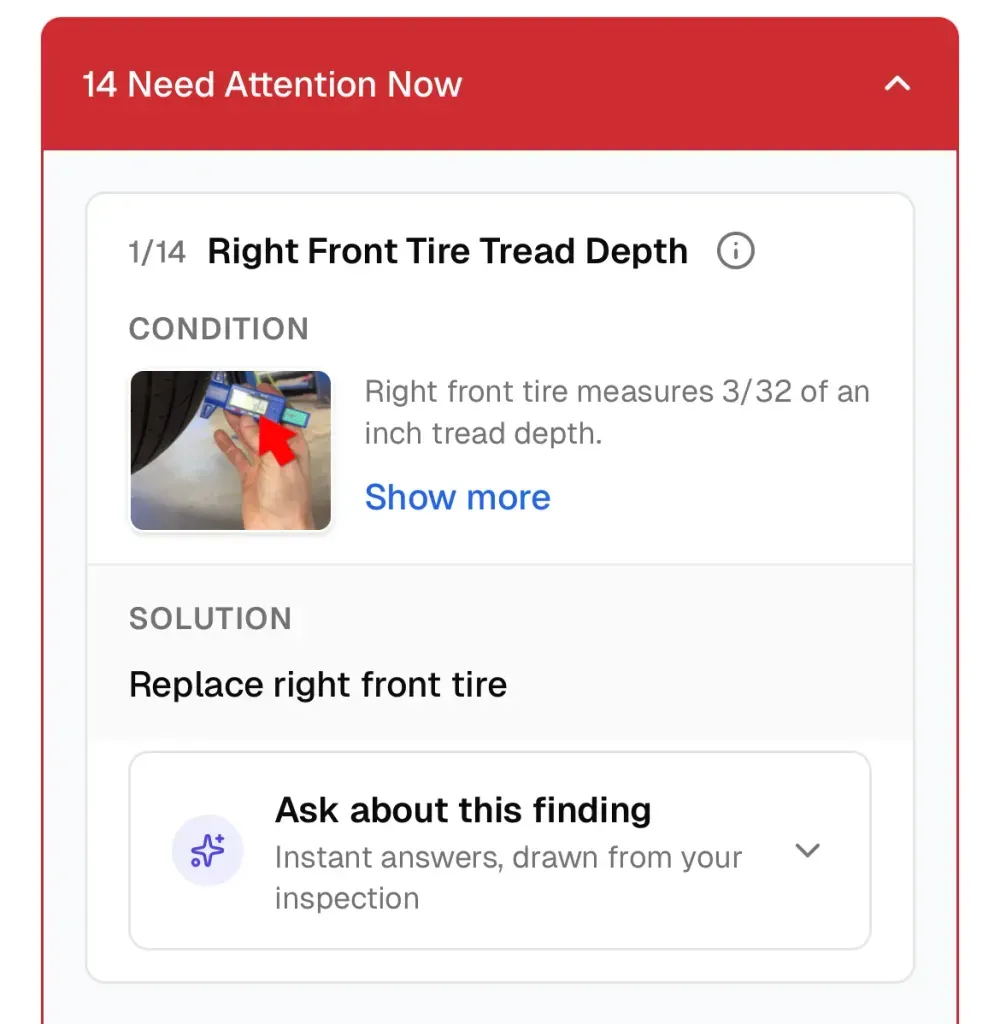
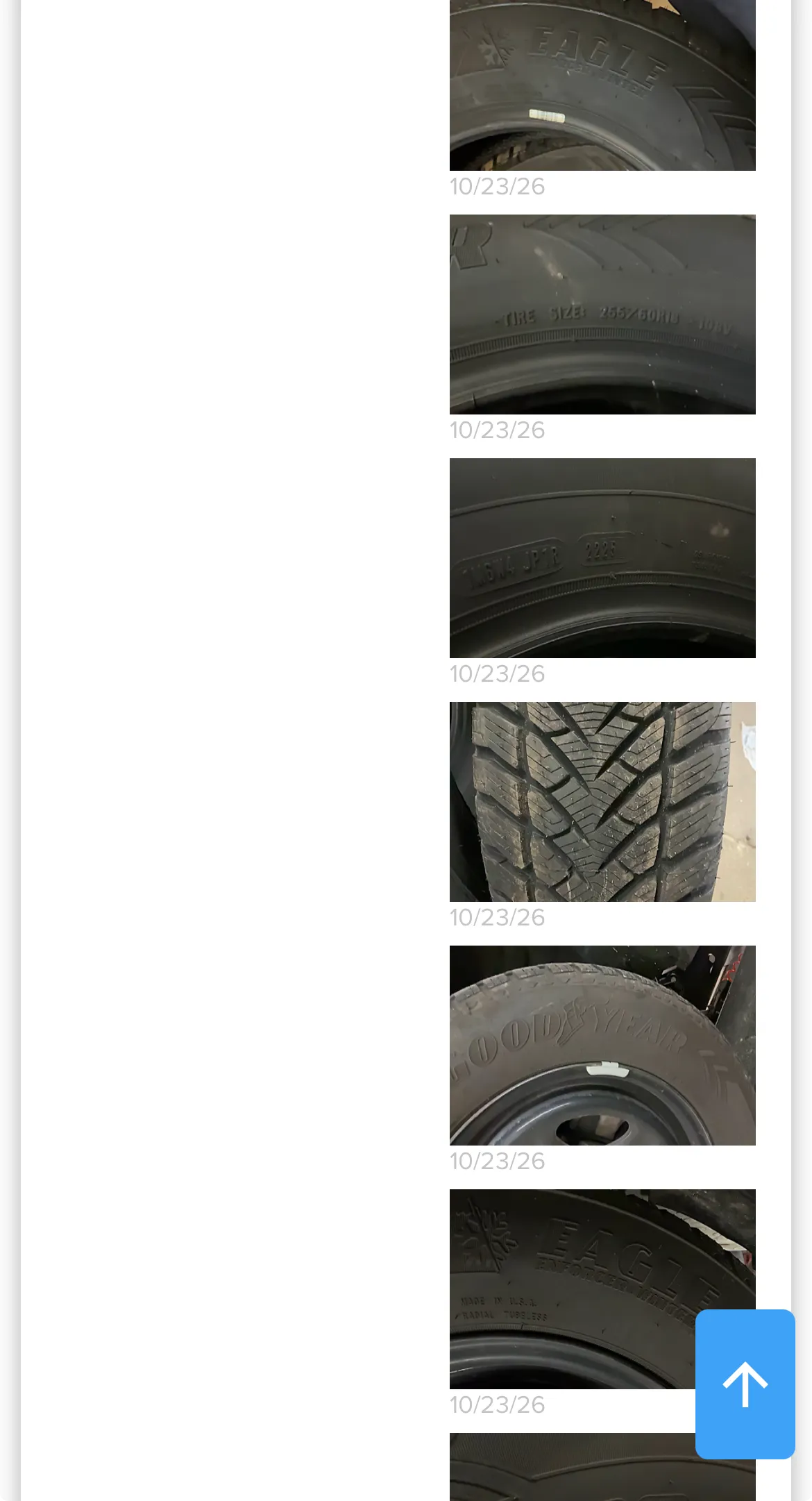
DVI results can be lots of information and pictures, and just throwing text and pictures at the user doesn’t seem enough to spark a lot of curiosity or getting educated and approve work. One example is below that indicates no purpose why tire pictures from different angles create value to the user.
ProViewIQ DVI Results are designed to create a clean layout, so motorists know immediately how to navigate what is important to them. Below is an example for a typical inspection topic. No matter how much info or how many images are added to each topic, it always uses the same real estate with a simple to understand structure
- Condition with 1-6 pictures and limited text
- Solution
- Ask about the finding
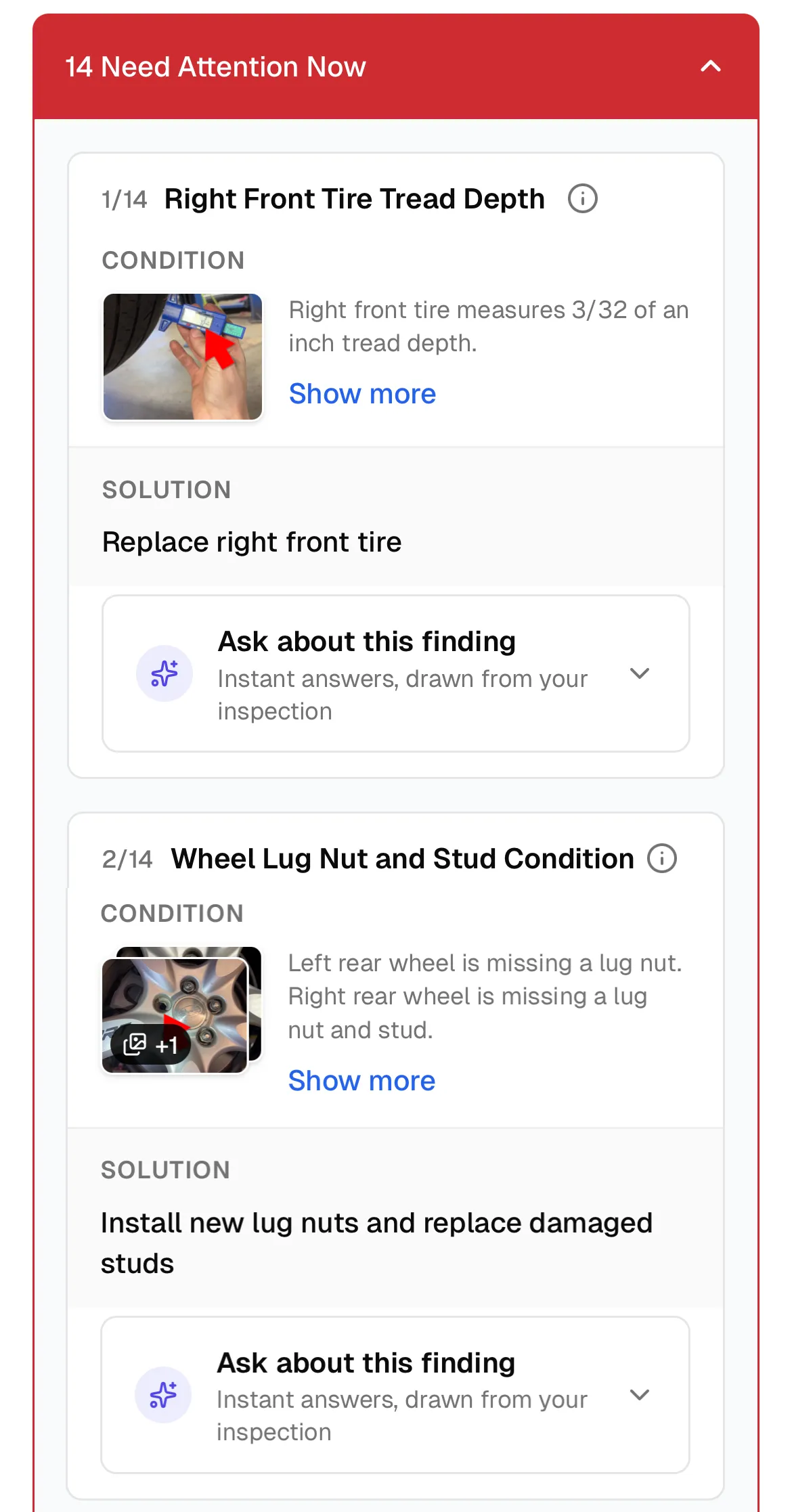
This layout gives a great overview in a few seconds and allows to explore more details through the “Show More” link and the “Ask about this finding”.
Below are one screenshot for each: 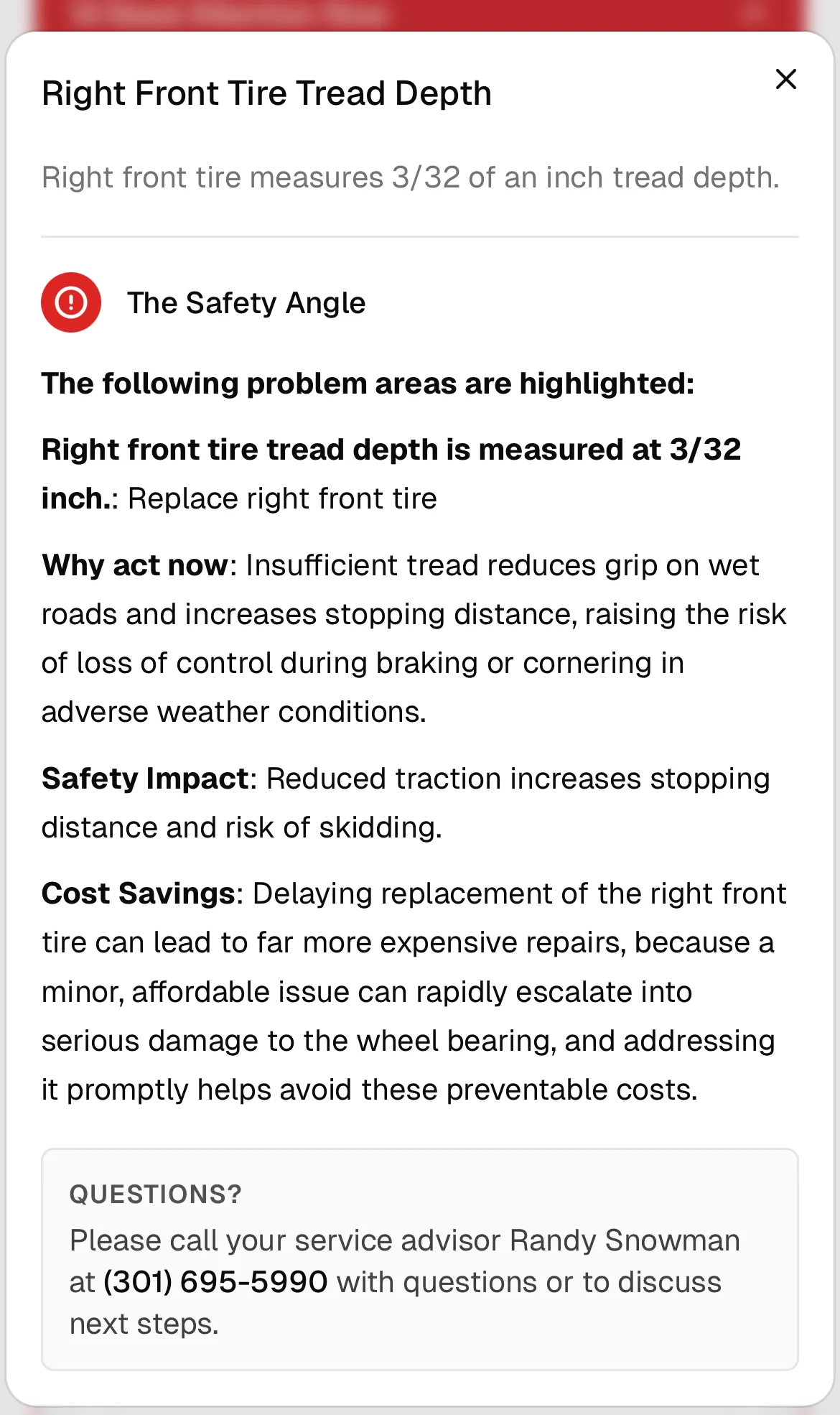
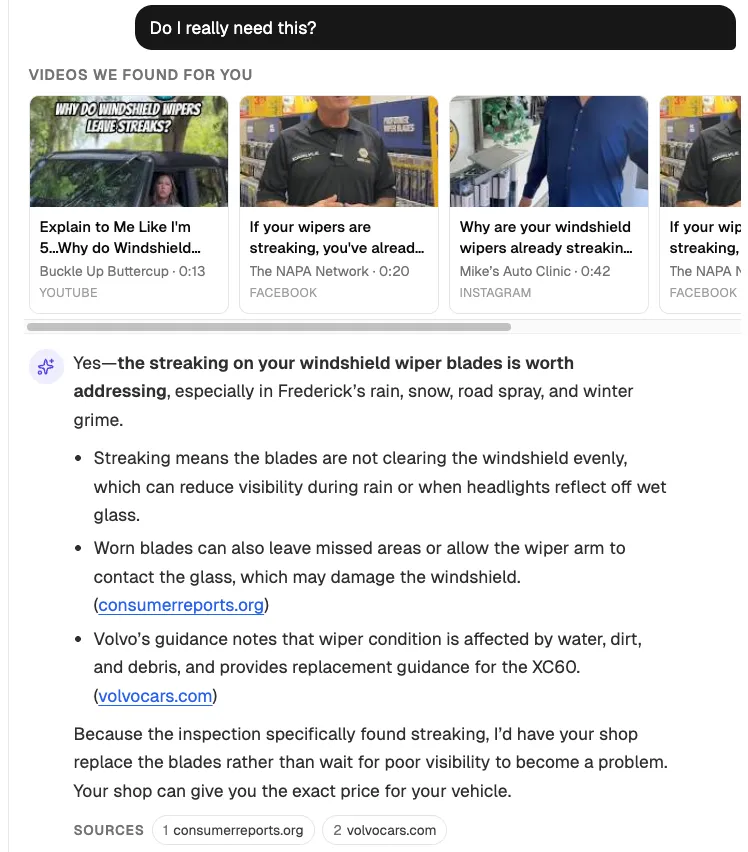
So, instead of taking the whole DVI results link and plug it into ChatGPT and ask "What should I do?", the motorist can explore any question specific to the inspection topic.
Do you want to try for your shop? Visit ProViewIQ.com and request a demo.
Other news
-
Car is Squealing When Driving
-
What is Preventative Maintenance and What Are The Benefits of it?

-
7 Signs of AC Pulley Issues
-
JobViewIQ - DVI Process Training - Part of the Auto Care Alliance Benefits

-
7 Signs of Clogged AC Components

-
How Much Does a Transmission Fluid Change Cost?

-
7 Signs of a Leaking Axle Seal