The Current Time-Saving Approach of ProViewIQ
- Technicians know their inspection routine and while the technician is using ProViewIQ by recording a video and talking about the findings, ProViewIQ is giving feedback what topics have been successfully covered (Finished) and what topics still need to be finished (Unfinished).
- To achieve maximum efficiency the tech is not prompted what to do next. Instead they have found their 'perfect' inspection routine.
- Once the inspection is set to be completed, all unfinished topics will be set automatically to green.
- In high pressure situations this can lead to skipped topics
- Instead of forcing the technician to follow a certain order, we have introduced mandatory topics.
Mandatory Topics
- Mandatory Topics need to be covered by the technician to be able to complete the inspection.
Define the mandatory topics
- To define these topics log onto ProViewIQ.com and go to the inspection sheet settings page.
- Select the "edit" button of the inspection sheet in question (screenshot below)

- Topics are selected as NOT mandatory by default. A simple click on the "Mandatory" label activates/deactivates whether a topic is mandatory (screenshot below)

What Technician sees in the ProViewIQ app
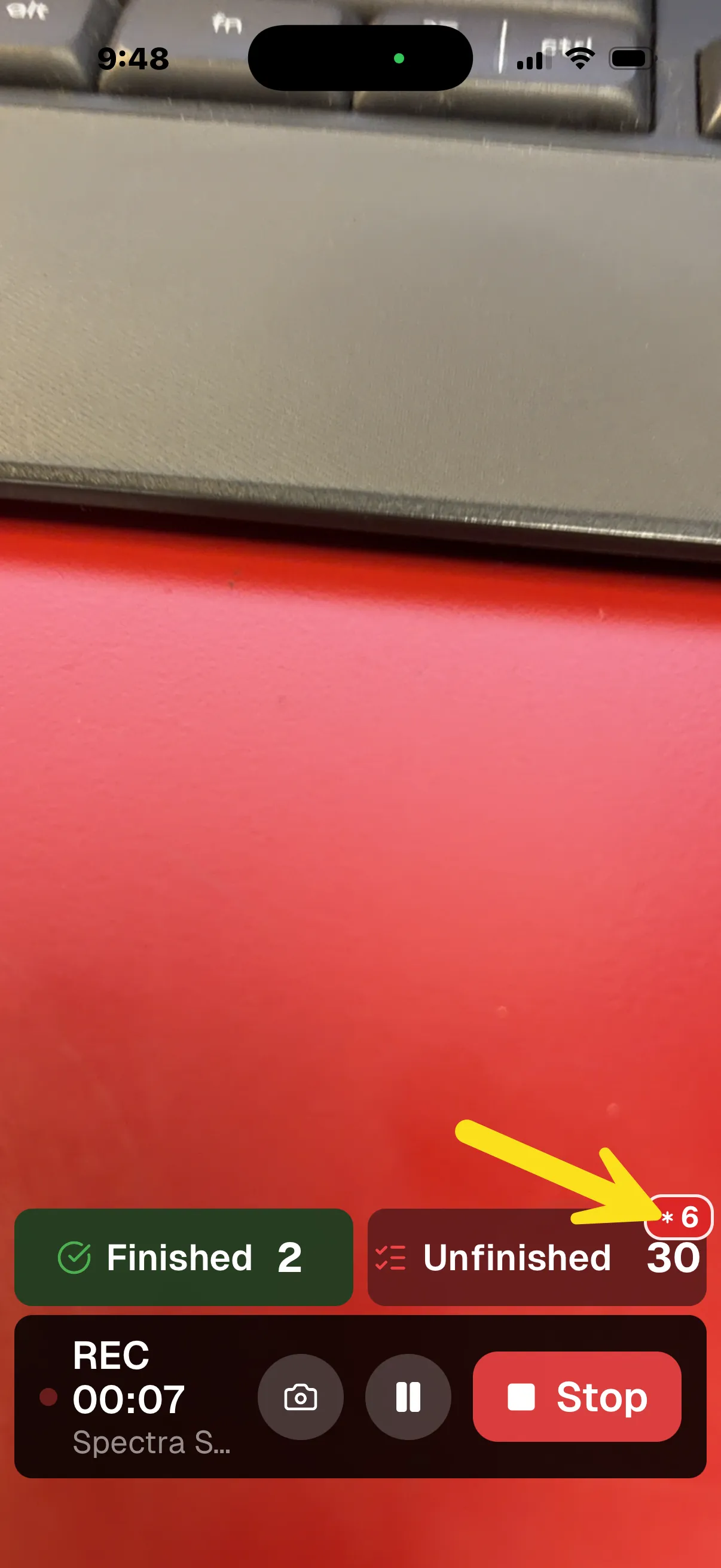
- As the technician performs the ProViewIQ DVI by taking a raw video and talk about the findings on the vehicle, the app updates the finished topics and alerts the tech about how many of the unfinished topics are mandatory (see screenshot of the app below)
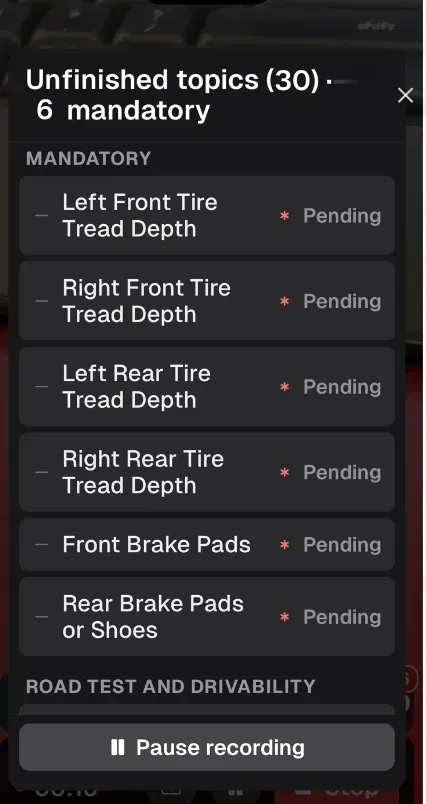
- Tapping on the unfinished button will show what topics are mandatory (article screenshot)
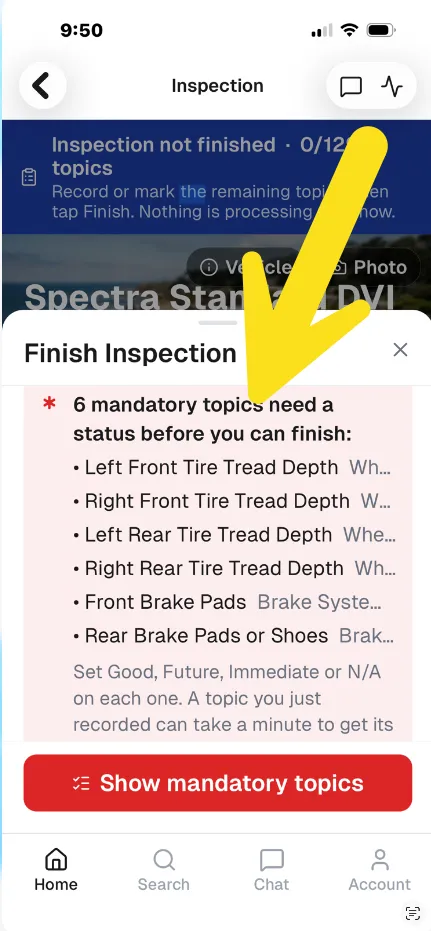
- Upon completing the inspection the mandatory topics missed are listed. They need to be finished before an inspection can be completed (screenshot of the app below)
Questions about best practices? Do you want to collaborate with other ProViewIQ users? Please join us on Facebook in the AutoTechIQ Certified group!
Other news
-
Car is Squealing When Driving
-
What is Preventative Maintenance and What Are The Benefits of it?

-
7 Signs of AC Pulley Issues
-
JobViewIQ - DVI Process Training - Part of the Auto Care Alliance Benefits

-
7 Signs of Clogged AC Components

-
How Much Does a Transmission Fluid Change Cost?

-
7 Signs of a Leaking Axle Seal