Congratulations!
You are committed to make ProViewIQ work in your shop. One of the mandatory conditions is the latency in your Wifi network and we have added a test to the ProViewIQ app to find out easily.
- Please download the app using either one of the QR codes below


- Log in with an email address your Point of Sales knows as technician or service advisor
- You will see all vehicle assigned to you, tap the account icon
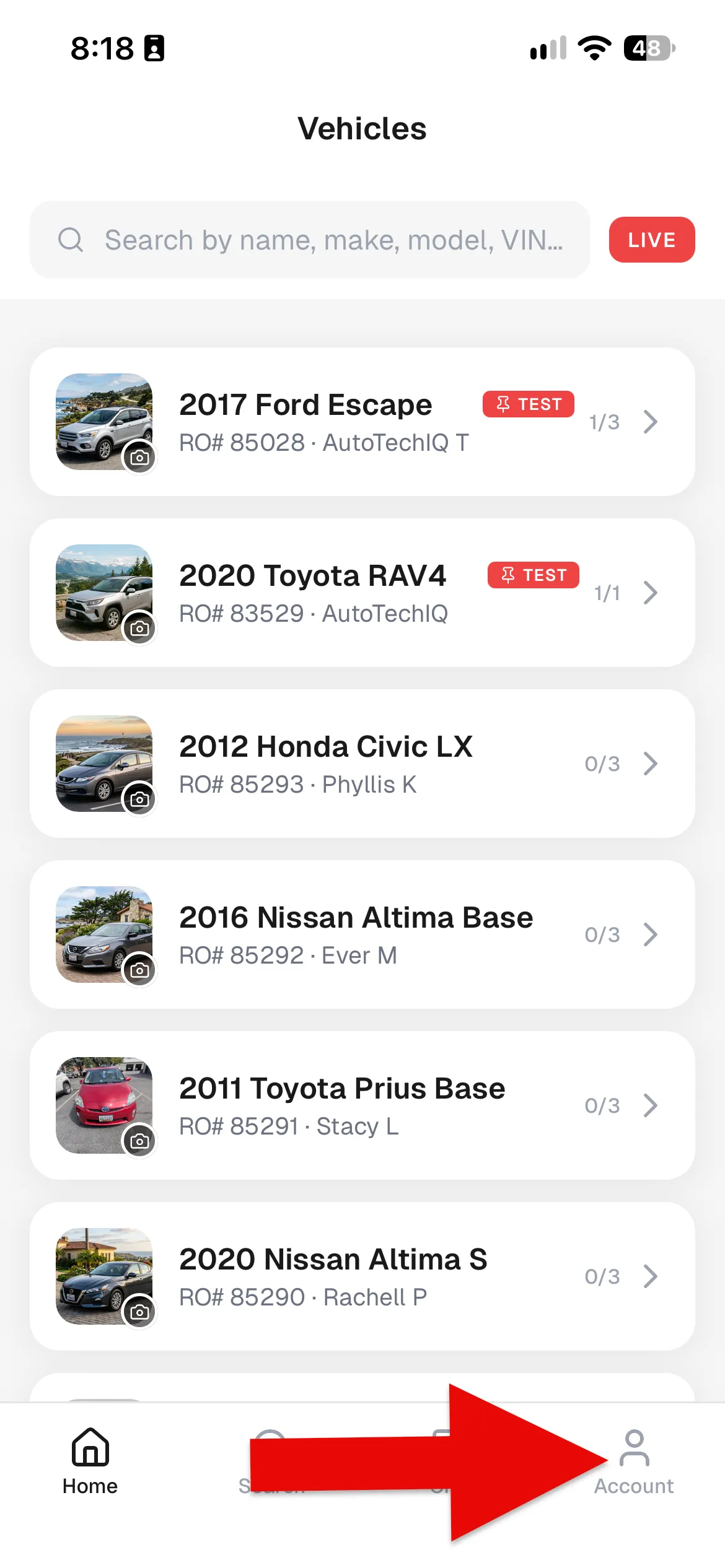
- Tap the Connection Test at a typical spot in your shop where DVIs are performed.
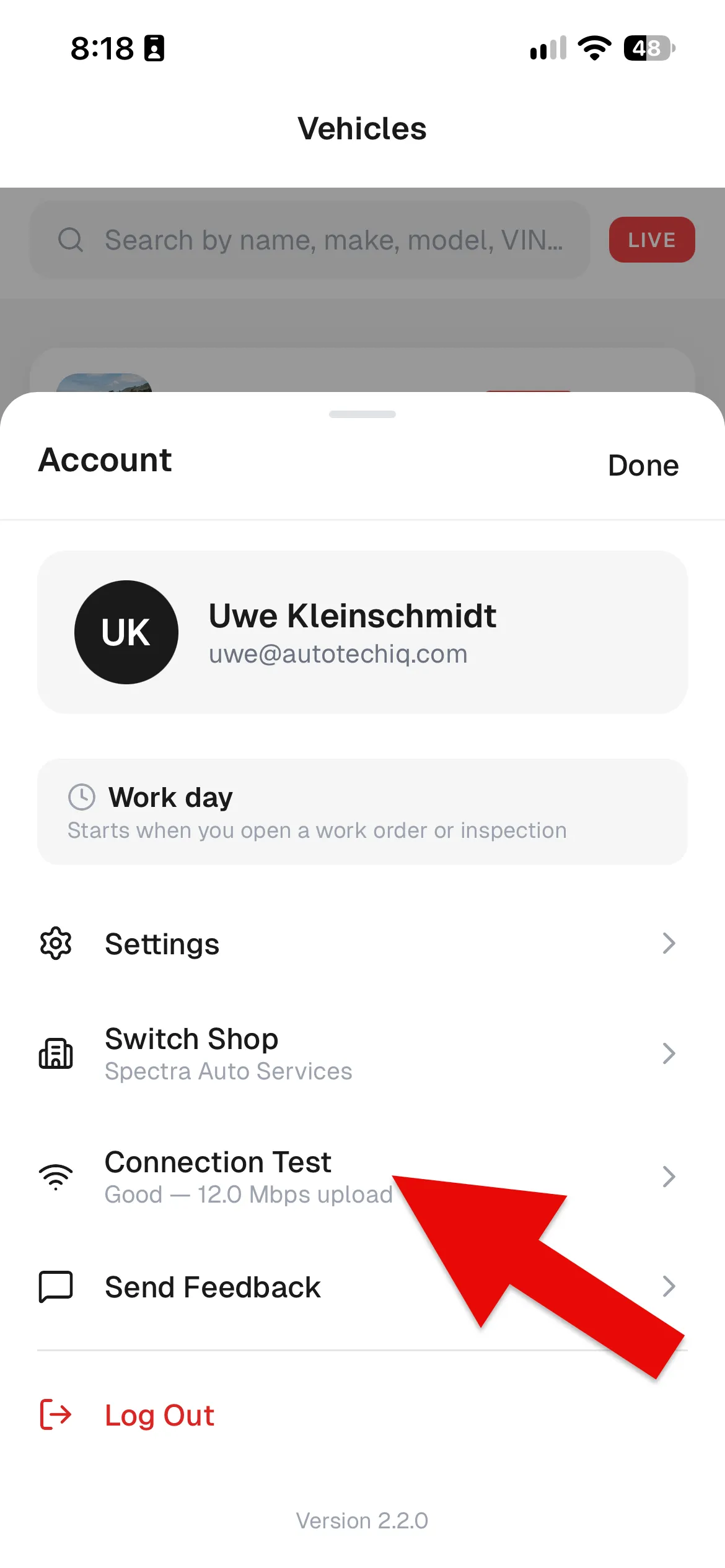
- After performing the connection test you will see the result as either good or it points out what to improve (see below for two examples). Bring the results to the onboarding training with our onboarding specialist.
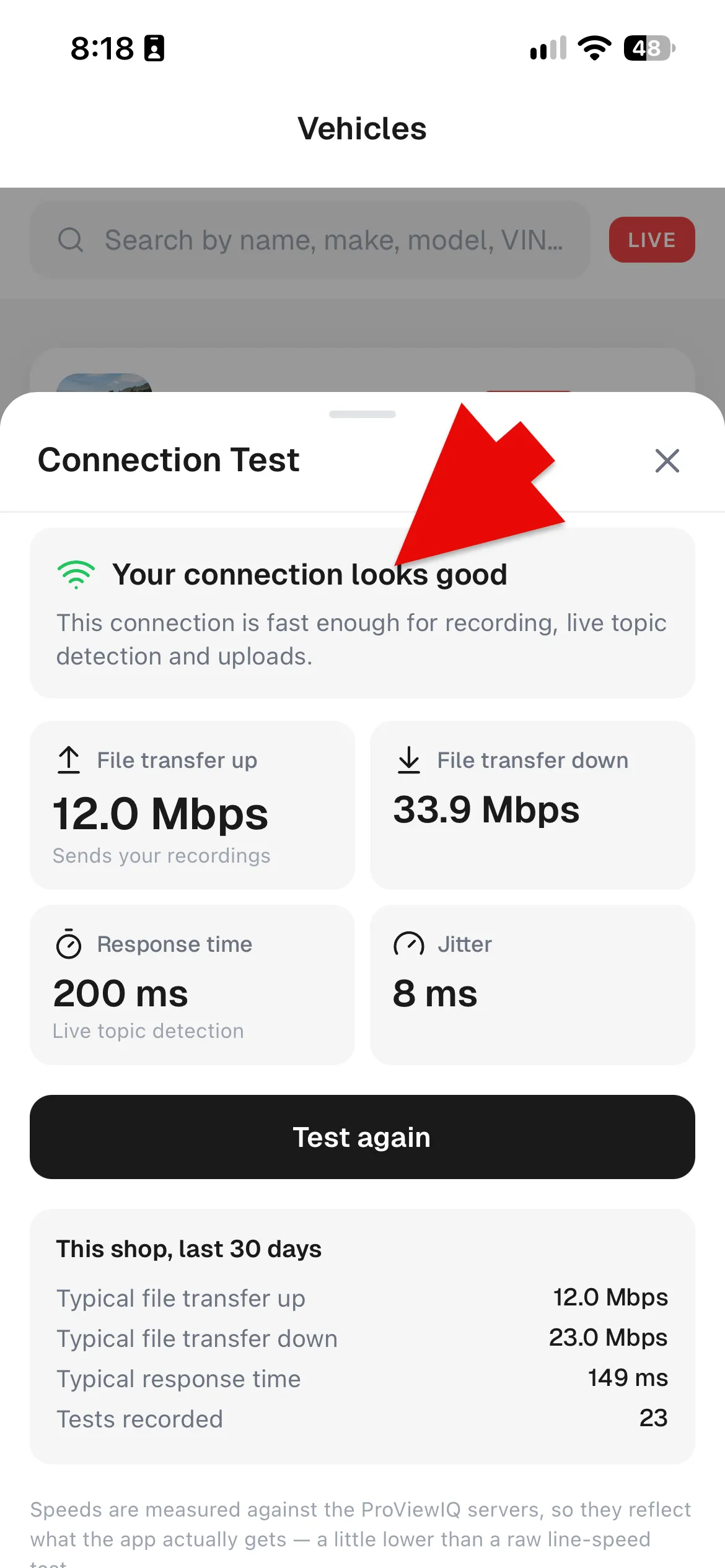
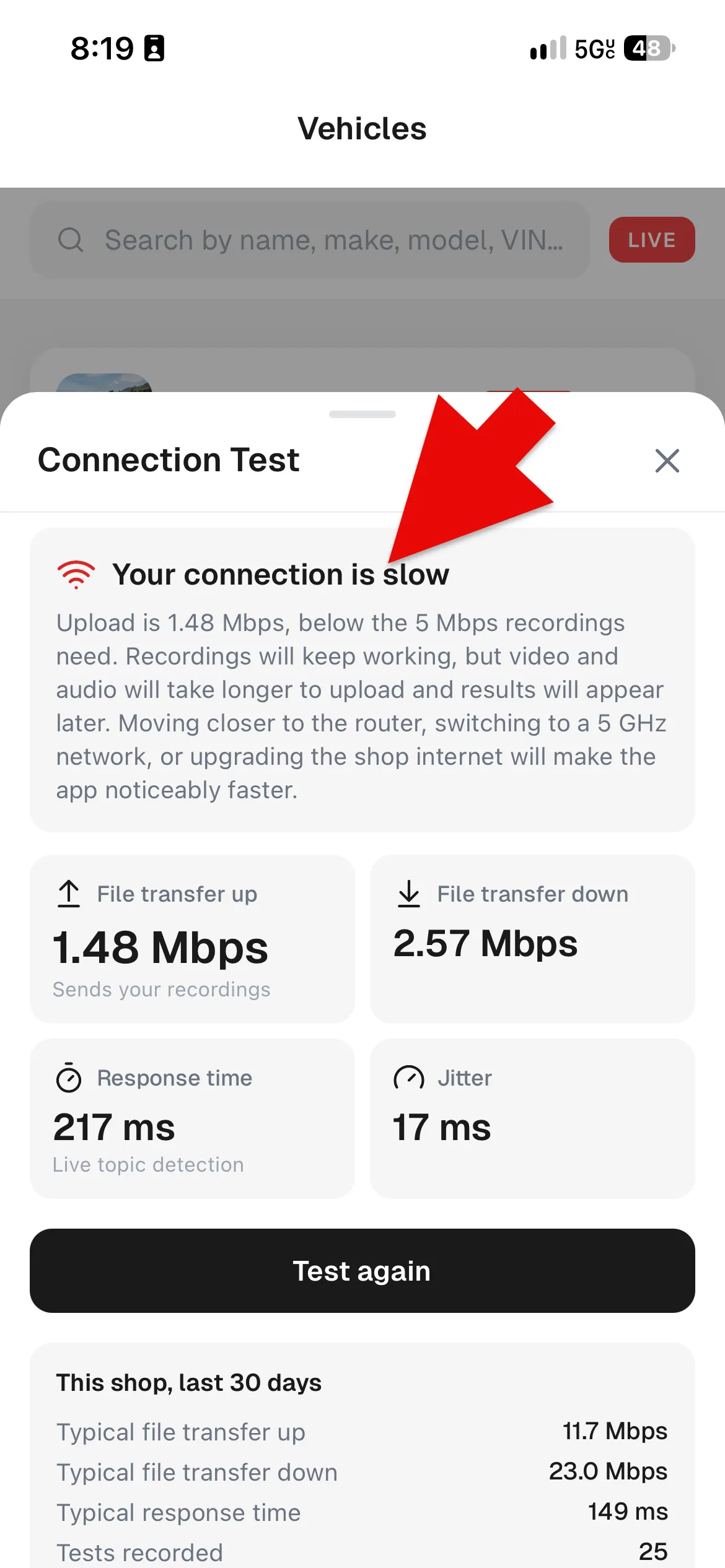
- In case your connection is detected to be slow, please take the following steps to determine the next actions
- use your IPS provider's app (e.g., Frontier, Spectrum, etc.) to determine the Download and Upload speed at the modem (the entry point to your building)
- use the ProViewIQ app to perform the connection test close to the WiFi access point. If the speed is substantially lower than the modem speed, consider replacing the access point. If the connection test in ProViewIQ is substantially better than the one performed at the inspection spot, your access point is too far away and you need to add more access points.
Other news
-
Car is Squealing When Driving

-
What is Preventative Maintenance and What Are The Benefits of it?

-
JobViewIQ - DVI Process Training - Part of the Auto Care Alliance Benefits

-
7 Signs of AC Pulley Issues
-
7 Signs of Clogged AC Components

-
How Much Does a Transmission Fluid Change Cost?

-
7 Signs of a Leaking Axle Seal